
A Blink camera blinking red can mean setup mode, internet disconnection, low batteries, or a brief motion/night-vision signal depending on the model. The fastest fix is to identify the exact Blink device first: Mini, Mini 2, Outdoor 4, Outdoor/Indoor 3rd Gen, XT, XT2, Video Doorbell, or Sync Module.
Do not replace the camera immediately. Most red light problems are solved by checking battery power, 2.4 GHz WiFi, router status, Sync Module lights, and Blink app setup.
Quick Answer: Blink Camera Blinking Red
If your Blink camera is blinking red, check whether it is in setup mode, disconnected from the internet, or low on battery. Blink Mini and Mini 2 commonly show red when not connected to the internet. Outdoor and Indoor battery cameras can flash red when disconnected or when batteries are failing. Restart the camera, check WiFi, replace batteries if needed, and reconnect through the Blink app.
| Blink Mini red | Often no internet connection or setup activity. |
| Outdoor/Indoor red flashes | Can mean internet disconnection or battery trouble. |
| Sync Module solid red | Usually WiFi password or network connection issue. |
Why Is My Blink Camera Blinking Red – Blink Camera Light Meaning
The red LED is a status signal, not one single problem. On Blink Outdoor 4, flashing red can appear during setup or WiFi changes. On Blink Mini, red commonly means the camera is not connected to the internet. On Outdoor and Indoor battery cameras, repeated red flashes can point to disconnection or weak batteries.
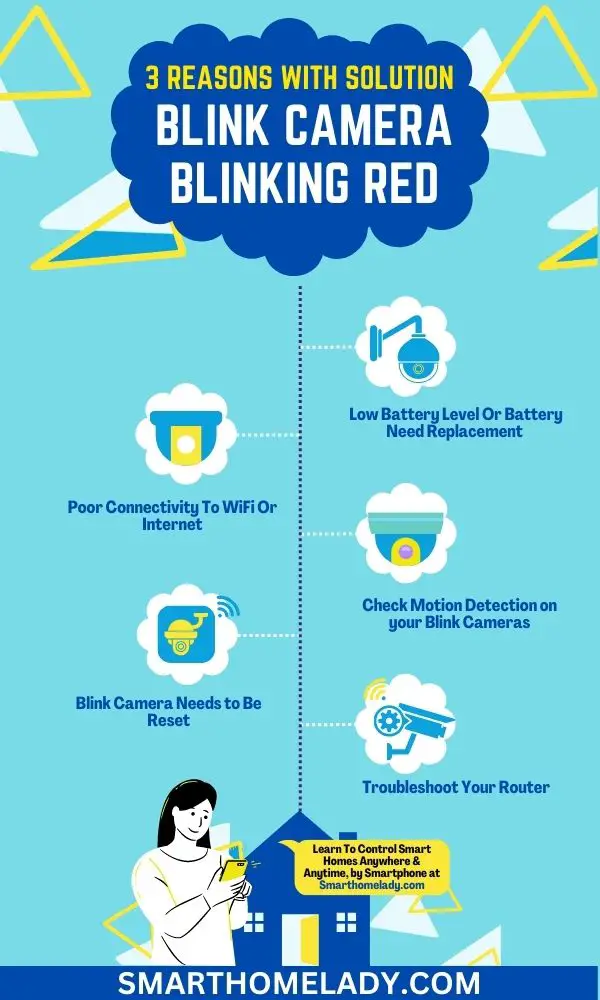
1. Low Battery Level Or Battery Need Replacement
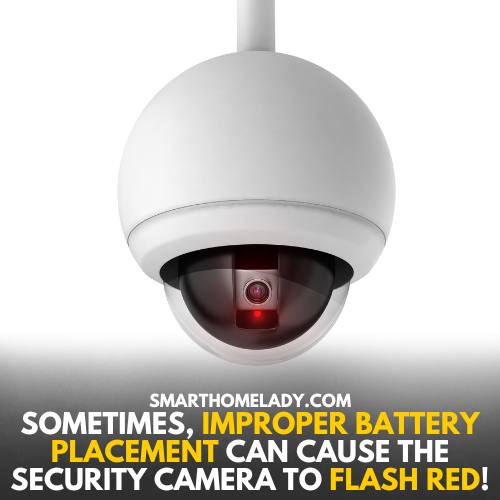
Battery-powered Blink cameras can flash red when batteries are failing. Replace both batteries at the same time and use the battery type recommended for your camera model.
Troubleshooting Or Solution
- Open the Blink app and check battery status.
- Use fresh AA lithium non-rechargeable batteries when your model requires them.
- Remove batteries for 5 seconds and reinsert them.
- Check that battery contacts are clean and seated correctly.
2. Poor Connectivity To WiFi Or Internet
WiFi problems are one of the most common reasons for Blink camera blinking red. Blink cameras need a stable 2.4 GHz WiFi connection. If the router password changed, the camera moved farther away, or the Sync Module went offline, red lights can appear.
Troubleshooting Or Solution
- Restart the router and wait until the internet is fully online.
- Power cycle the Sync Module if your camera uses one.
- Move the camera closer to the router for a test.
- Use Change Wi-Fi in the Blink app if the password changed.
- Disable VPN on your phone during setup.
3. Check Motion Detection on your Blink Cameras
Some Blink cameras can show a brief red flash during motion detection or night vision activity. If live view, alerts, and clips still work, the brief light may not be a problem. If the camera also goes offline, troubleshoot WiFi and power.

Solution
Test live view, motion alerts, clip saving, and Blink app status. If all functions work, review Status LED and night vision behavior before resetting the device.
Other Solutions Or Troubleshooting Ways
If the first checks do not solve the Blink camera blinking red issue, move through these deeper fixes.
1. Blink Camera Needs to Be Reset
Reset only after checking batteries, WiFi, and Sync Module status. Use a thin object that will not damage the reset button, then wait for the expected LED pattern before adding the device again.
2. Firmware Update
Update the Blink app first. Firmware updates normally happen during setup or normal operation, but a weak connection can stop the process.

3. Troubleshoot Your Router
Check 2.4 GHz WiFi, password, band steering, mesh extenders, firewall settings, and signal strength. Test close to the main router without extenders if possible.
4. Check Sync Module Status
Solid blue and solid green means the Sync Module is online. Blinking blue with solid green means setup. Solid red means the module cannot connect to the network or the WiFi password may be wrong.
5. Delete And Re-Add Only After Saving Important Clips
Deleting and re-adding can fix stubborn setup problems, but save important clips first. Do not delete the camera if the real issue is simply batteries or WiFi.

Blink Camera Blinking Red By Model
- Blink Outdoor 4: flashing red can appear during setup mode or WiFi/system changes.
- Blink Video Doorbell: the red ring can show it is seeking connection during setup.
- Blink Mini and Mini 2: red often means not connected to the internet.
- Outdoor/Indoor 3rd Gen, XT2, XT: repeated red flashes can indicate disconnection or failing batteries.
- Sync Module: solid red points to network or password trouble.
FAQs About Blink Camera Blinking Red
Does red light mean Blink is recording?
Usually no. Blue is more commonly tied to recording or live view. Red often points to setup, connection, or battery status.
Why is my Blink Mini showing a red light?
A Blink Mini red light commonly means it is not connected to the internet or is moving through setup.
Should I replace batteries when Blink flashes red?
If you use a battery-powered model and see repeated red flashes or battery warnings, replace both batteries with the recommended type.
Official Blink details checked: Blink red light on a camera, Blink Sync Module LEDs.
Final Thoughts
A Blink camera blinking red is usually a signal to check setup, WiFi, battery power, or Sync Module status. Match the red light pattern to your exact Blink model, then troubleshoot in order.
Relevant Blink Camera Guides